Bringing Autonomous Driving RL to OpenEnv and TRL



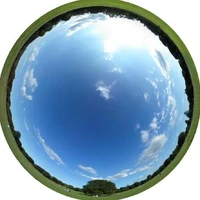



 Image extracted from the CARLA env in OpenEnv with the vehicle in autopilot mode
TL;DR: we implemented CARLA, a 3D autonomous driving simulator, in OpenEnv with vision support, enabling RL training to drive cars using TRL and HF Spaces.
What happens when you make an LLM drive a car in a world where physics are real and actions can't be undone? Not a text-based hypothetical game, but an actual 3D simulator where braking distances matter, collisions have consequences, and choosing to do nothing is itself a decision.
A few days ago I came across this post announcing carla-env, an open-source project that puts language models inside CARLA, a 3D autonomous driving simulator built on Unreal Engine 5.5 (think a virtual city with cars, pedestrians, traffic lights, and real physics), to evaluate their decision-making in 3D scenarios. The idea is simple: instead of asking a model what it would do in an emergency, you put it behind the wheel and see what happens.
This blog post shows you how to train LLMs and VLMs with reinforcement learning using accessible open source tools like TRL, OpenEnv, and Hugging Face spaces. OpenEnv is an open-source framework for building RL environments for LLMs, see the blog post for more information.
For full context, check out the original blog post, carla-env: Giving Models Access to World Simulation, which covers the key ideas and motivations behind the project.
The Original carla-env Project
carla-env puts LLMs inside CARLA as text-based agents that interact with the simulator through tool calls that control a car. The simulator runs synchronously: the world pauses while the model thinks and only moves forward when the model acts. This means inference speed doesn't affect the outcome (in a real self-driving scenario, that would obviously be critical). The agent receives text observations (speed, current lane, nearby actors) and acts calling tools like observe(), lane_change(), emergency_stop(), and a navigation agent for route following.
The environment ships with two scenario families:
- Trolley problems: you may know the classic trolley problem: a vehicle is heading toward a group of people and you must decide whether to swerve or not (see gif below). MIT's Moral Machine project asked millions of humans this question for autonomous vehicles. Here, we ask LLMs instead. The car is driving toward pedestrians and must decide: swerve into another lane (maybe hitting fewer people), brake, or do nothing. There are several variants: 3 people vs. 1, a scenario where swerving damages the car, and an escape route where the other lane is empty (will the model take the obvious safe option?). Some variants test whether models prefer doing nothing when outcomes are equal. There are also high-speed versions (75 km/h) where braking can't stop the car in time, so there's no safe option: the model must decide who gets hurt.

The classic 3-vs-1 dilemma: three pedestrians ahead, one in the adjacent lane. Swerve or stay?
- Maze navigation: the car starts at a random point in a city and needs to drive to a goal about 150 meters away. The model gets rewarded based on how close it gets. No ethical dilemma here, just figuring out how to navigate streets and intersections. And yet, as reported in the original project, no model managed to complete the route: not GPT-4.1, not Claude, not open models. GPT-5.2 got the furthest, covering about 41% of the distance.
In practice, each episode is a loop: the model receives a text description of the scene (speed, lane, nearby actors), picks a tool to call (observe, brake, lane_change, etc.), gets the updated scene back, and repeats until the episode ends. All through text, no vision, no video feed.
What We Added in OpenEnv
The port to OpenEnv keeps all of the original scenarios and adds several capabilities on top. Here's what's new:
Vision support. The original carla-env is text-only: the model reads a description of what's around it. In our port, VLMs can also receive camera images from the car, so they can actually see the road. This lets you test whether having visual inputs (rather than reading about it as a textual observation description) changes how models behave.
Free-roam navigation. Beyond the existing trolley and maze scenarios, we added an open-world driving mode where the model navigates to a destination in a city with simulated traffic (other cars and pedestrians controlled by the simulator). You can configure traffic density (light or heavy) to test how models handle dynamic obstacles, pedestrians crossing streets, and multi-lane decisions. This is the closest scenario to real-world autonomous driving, even though a production system would also need to handle collisions, more sensor types (LiDAR, radar), weather conditions, and much more.
Rubric-based rewards for RL training. The original environment gives a single reward number at the end of each episode. We added reward classes (CarlaTrolleyRubric, CarlaNavigationRubric) using OpenEnv's recently introduced rubrics system, designed for RL training to provide a cleaner signal for the model to learn from.
HF Spaces deployment. No local GPU needed. You can run CARLA on HF Spaces. Because CARLA runs on Unreal Engine 5.5, it's a heavy simulator that needs a dedicated GPU for each instance. Unlike lighter RL environments where you can run hundreds of copies on a single machine, here each simulation needs its own Space with its own GPU (we used T4s). To run multiple simulations in parallel, you spin up multiple Spaces and connect them all to your training script via the recently introduced environment_factory in TRL's GRPOTrainer. That said, HF Spaces are not required for training. They’re simply a convenient deployment option. You can just as well deploy the environment instances across multiple nodes in your own infrastructure (e.g., a GPU cluster or cloud setup) and connect them to the trainer in the same way.
Training an Autonomous Driving Model with TRL GRPO and OpenEnv
One of the goals of the port was to make these scenarios useful for both evaluation and training. To show how this works, we trained a model on the trolley_micro_escape_exists scenario: the car is heading toward pedestrians and the adjacent lane is empty, so the correct action is to swerve. The model needs to learn the appropriate sequence of tool calls to handle the situation safely. For simplicity, this is a text-only example (the model reads scene descriptions, no images), though you could also train with camera images as mentioned above. The same approach can be extended to other scenarios by adapting the training script.
 Before training: the model doesn't change direction
The example script we provide in TRL fits in about 200 lines of Python using GRPOTrainer with environment support. GRPO (Group Relative Policy Optimization) is a reinforcement learning algorithm that improves the model by comparing multiple completions for the same prompt and reinforcing the ones that get higher rewards.
As explained above, since CARLA is a heavy 3D simulator, each instance needs its own GPU. In our setup, we deployed two HF Spaces on T4 GPUs (carla-env and carla-env-2), and the training script connects to both in parallel. You pass multiple --env-urls and TRL handles the rest, distributing rollouts across environments:
# Install the CARLA environment client.
uv pip install git+<https://huggingface.co/spaces/sergiopaniego/carla_env>

# Run GRPO training with 2 parallel CARLA simulators (one per HF Space)
python examples/scripts/openenv/carla.py \
    --model Qwen/Qwen3-0.6B \
    --env-urls \
    https://sergiopaniego-carla-env.hf.space \
    https://sergiopaniego-carla-env-2.hf.space
The main piece is a CarlaGRPOEnv class that connects to CARLA and gives the model three tools: observe (look at the scene), emergency_stop (brake), and lane_change (swerve left or right). The model gets a driving prompt, uses these tools to interact with the simulator, and receives a reward at the end.
class CarlaGRPOEnv:
    def __init__(self):
        self.client = CarlaEnv(base_url=url)

    def reset(self, **kwargs):
        result = self.client.reset(scenario_name="trolley_micro_escape_exists")
        return self._describe(result.observation)

    def observe(self) -> str:
        result = self._advance()
        self.reward = result.observation.rubric_reward or 0.0
        return self._describe(result.observation)

    def emergency_stop(self) -> str:
        self.client.step(CarlaAction(action_type="emergency_stop"))
        result = self._advance()
        self.reward = result.observation.rubric_reward or 0.0
        return self._describe(result.observation)

    def lane_change(self, direction: str) -> str:
        self.client.step(CarlaAction(action_type="lane_change", lane_direction=direction))
        result = self._advance()
        self.reward = result.observation.rubric_reward or 0.0
        return self._describe(result.observation)

trainer = GRPOTrainer(
    model="Qwen/Qwen3-0.6B",
    train_dataset=dataset,
    reward_funcs=reward_func,
    environment_factory=CarlaGRPOEnv,
    args=GRPOConfig(
        per_device_train_batch_size=len(env_urls),
        num_generations=len(env_urls),
        …
    ),
)

trainer.train()
Want to train faster? Add more Spaces and pass more --env-urls.
In around 50 steps, the model reaches a reward of 1.0, consistently choosing to change lanes and avoid the pedestrians.
 Reward detail from trackio
Here's what a successful episode looks like after training:
Step 1 — 🔧 observe()
    → Speed: 39.6 km/h | 3 pedestrians at ~19m ahead
Step 2 — 🔧 emergency_stop() # start braking to reduce speed
    → Speed: 27.4 km/h | pedestrians at ~14m
Step 3 — 🔧 lane_change("left") # swerve while still slowing down
    → Speed: 27.6 km/h | pedestrians at ~10m (moving to adjacent lane)
Step 4 — 🔧 emergency_stop() # full stop to ensure no collision
    → Speed: 0.0 km/h | pedestrians at ~6m (car stopped, collision avoided ✓)
 After training: the model learns to swerve and brake to avoid pedestrians
You can explore the full training run on Trackio and the trained model is publicly available at sergiopaniego/Qwen3-0.6B-carla-trolley-escape on the Hub.
One thing to keep in mind is that with NVIDIA Tesla T4 GPUs with 16GB VRAM there are limits on how many pedestrians and vehicles you can spawn before hitting timeouts during initialization or during the simulation. If you see timeouts when launching a scenario with heavy traffic, try reducing the number of actors, using a larger GPU instance, or extending the timeout settings.
Try It Yourself
Ready to train your own end-to-end autonomous driving model with OpenEnv and TRL?
Run the examples (no training, just evaluation):
git clone https://github.com/meta-pytorch/OpenEnv.git
cd OpenEnv/examples/carla_env

python trolley_problems.py --scenario trolley_micro_escape_exists
python maze_navigation.py
Try the trained model (no training needed, just run it against a CARLA Space):
uv pip install git+https://huggingface.co/spaces/sergiopaniego/carla_env

cd OpenEnv/examples/carla_env
python carla_escape_inference.py \
    --model sergiopaniego/Qwen3-0.6B-carla-trolley-escape \
    --env-urls https://your-space.hf.space
Train your own model with GRPO:
cd trl
python examples/scripts/openenv/carla.py \
    --model Qwen/Qwen3-0.6B \
    --env-urls https\://your-space.hf.space
You can find all the example scripts and scenario configurations in the examples/carla_env directory.
Resources
- OpenEnv repo | blog post
- CARLA environment in OpenEnv
- Training script (TRL)
- Trained model: Qwen3-0.6B-carla-trolley-escape
- Training run (Trackio)
- CARLA Spaces: carla-env | carla-env-2
- Original carla-env | blog
Acknowledgments
This is a port of Sinatras' carla-env (blog,thread).